Releases for October 2026

New Features & Improvements​

  • Configure partner table and search-result columns App Settings can now control which partner, vendor, contact, personnel, and address details appear in partner selection tables and search results. The settings apply across partner component types, search views, and both header-level and item-level selections.

  • More reliable Sales Doc settings in the Test Harness The Sales Document ID now persists when configuration is saved and reloaded. The Sales Doc tab also exposes Mode, Sold-to Party Text, Customer Purchase Order Number and Date, and Shipping Conditions, and labels Sales Document Type Internal clearly.

Upgrade Note​

  • Sales Doc Mode configuration path changed In Test Harness configuration data, Mode is now stored at SalesDocSettings.Mode instead of SalesDocSettings.Header.Mode. Update any custom configuration or scripts that reference the previous path when upgrading to 11.1.0. See the 10.x to 11.x upgrade guide for details.

🚀 arnold® 1.3.2​

  • NA Release Date: 2026-10-26
  • EU Release Date: 2026-10-29

arnold® 1.3.2 introduces enhanced Custom Cloud UI app configuration, tenant-level administration controls, improved MCP logging and export capabilities, and updates to connection management and tool reliability.

🖥️ Improved Custom Cloud UI App Configuration​

What it is​

Custom Cloud UI apps now support dedicated editors for input schema, transaction data, and application context scripts. These configurations are saved directly with the app for easier management.

This release also improves JSON editing and saving reliability.

Why it matters​

  • Manage custom app configurations in one place
  • Simplify maintenance and configuration updates
  • Improve consistency across environments
  • Reduce errors when editing Cloud UI app settings

🔍 Enhanced MCP Logging & Export​

What it is​

MCP Logs now support date-range filtering and export, allowing administrators to download log records based on their selected filters.

Why it matters​

  • Track MCP activity over specific periods
  • Export logs for reporting and audits
  • Simplify troubleshooting and usage analysis
  • Improve visibility into arnold activity

🔗 Improved Connection Management​

What it is​

Connections now support configurable response filters based on field names and value patterns, allowing administrators to control which information is included in successful HTTP responses.

Additional improvements include stronger validation for timeout and rate-limit settings and more reliable OAuth credential configuration.

Why it matters​

  • Reduce unnecessary data in tool responses
  • Better control information passed to AI agents
  • Prevent invalid connection configurations
  • Simplify authentication setup

🔐 Improved Impersonation Auditing​

What it is​

Impersonation activity is now recorded when access is successfully activated, providing more accurate audit records.

Impersonation requests also support a Declined status when a user rejects an access request.

Why it matters​

  • More accurate tracking of impersonation activity
  • Clearer visibility into approved and declined requests
  • Stronger accountability for administrative access
  • Improved security auditing

🛠️ MCP Tool & Client Compatibility Improvements​

What it is​

Several updates improve MCP tool configuration and execution:

  • Output Schema Editor: Preserves nested JSON schema structures when editing custom tools.
  • Simplified Tool Inputs: Removed unnecessary parameters from delivery, invoice, and order-status lookups.
  • MCP UI Compatibility: Improved tool visibility and metadata handling based on AI client capabilities.

Security Advisory: PHP CVE-2026-109618 and CVE-2026-109619 — enosix Solutions Not Affected​

Two vulnerabilities have been published in the National Vulnerability Database: CVE-2026-109618 and CVE-2026-109619.

enosix solutions are not affected.​

enosix does not use PHP in any of our solutions, so neither CVE applies to our products.

If you have questions or concerns, please reach out to the enosix team.

For full details on these vulnerabilities, see the NVD entries for CVE-2026-109618 and CVE-2026-109619.

New Features & Improvements​

  • Improved VC session management Cloud UI now manages VC sessions more consistently across processing and recovery. This helps avoid unnecessary SAP session use and reduce resource consumption, particularly when users work across browser tabs.

  • Include the API specification in generated projects Generated Cloud UI template projects now include the current CloudUI_OAS.json by default at /api-spec/CloudUI_OAS.json after build and deployment. You can opt out of including the specification in the CLI wizard when you want a smaller project.

  • Select SAP sales header values from dropdowns Sales Office, Sales Group, and Sales District are now selectable dropdowns populated with SAP values and descriptions. Users can choose and change these values when creating or updating a sales document.

Bug Fixes​

  • Navigate all VC characteristic groups When a product has more characteristic groups than fit in the tab bar, navigation controls let you reach every group without changing browser zoom.

  • Material Quick Add accepts lowercase input You no longer need to manually capitalize material searches. Cloud UI automatically capitalizes your input before searching SAP.

  • Item-level conditions remain when header conditions change Editing and simulating header conditions no longer clears conditions saved on individual items. Item-level pricing adjustments remain visible when you return to the item.

  • Incompletion notifications reflect outstanding requirements Incompletion notifications now match SAP and Transact behavior across sales document apps, helping users identify the requirements that still need attention.

  • Custom app toast notifications display correctly Custom apps using Cloud UI's toast-message hook can now display notifications through their app's notification provider. When upgrading an existing app to 10.x, follow the 9.x to 10.x upgrade guide to add the required notistack dependency.

🚀 arnold™ 1.3.1​

  • NA Release Date: 2026-10-12
  • EU Release Date: 2026-10-15

arnold™ 1.3.1 expands connection and custom tool capabilities, introduces richer MCP UI experiences, and strengthens security, reliability, and platform administration.

🔗 Expanded Connection Management​

What it is​

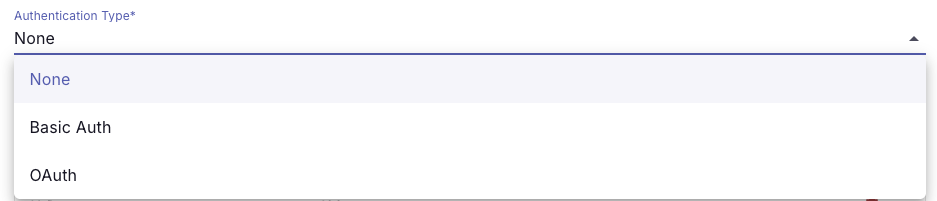
arnold now supports Generic REST API connections, allowing custom tools to connect to HTTP endpoints beyond standard SAP connection scenarios with configurable authentication.

Connection handling has also been standardized across API Key, Basic Auth, and OAuth, with timeout protection added to prevent requests from hanging indefinitely.

Why it matters​

  • Connect custom tools to a broader range of APIs and services
  • Use flexible authentication options
  • More consistent connection behavior
  • Improved protection from unresponsive endpoints
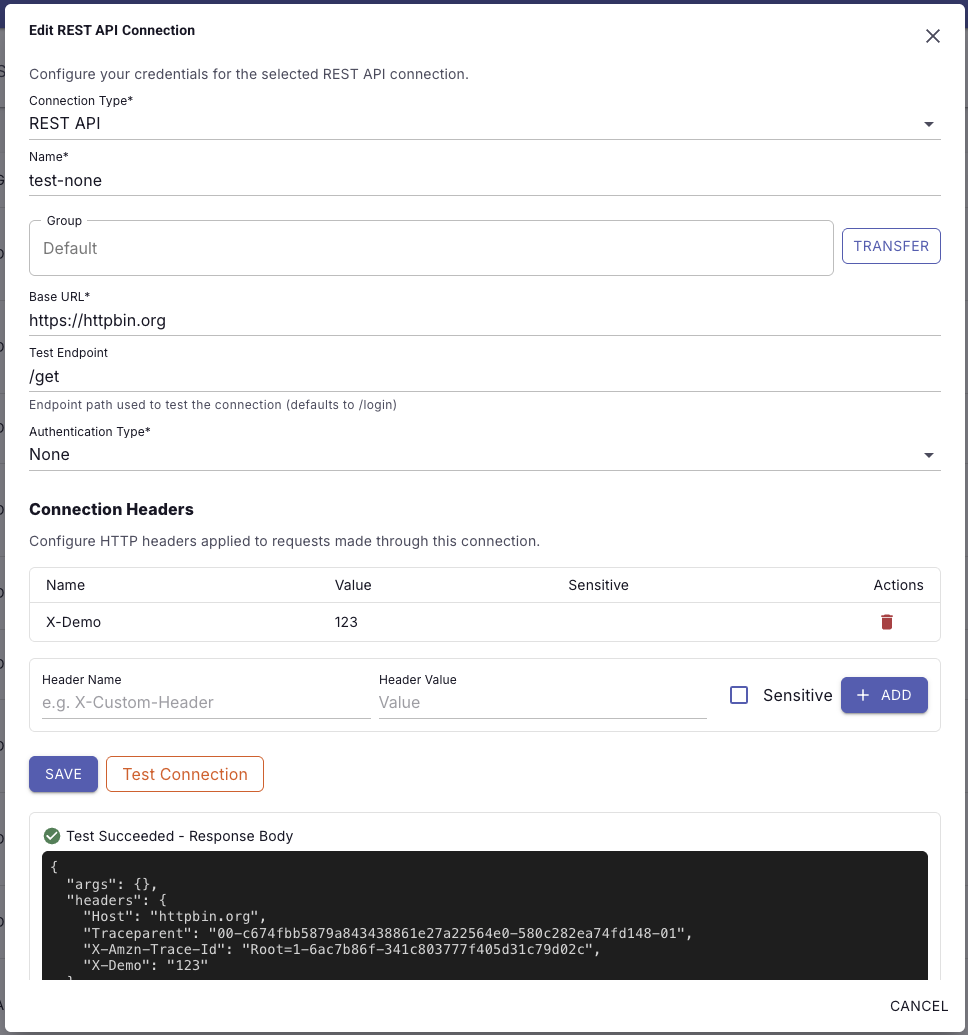
enosix Portal REST connection configuration enosix Portal REST authentication types

🖥️ Richer MCP UI Experiences​

What it is​

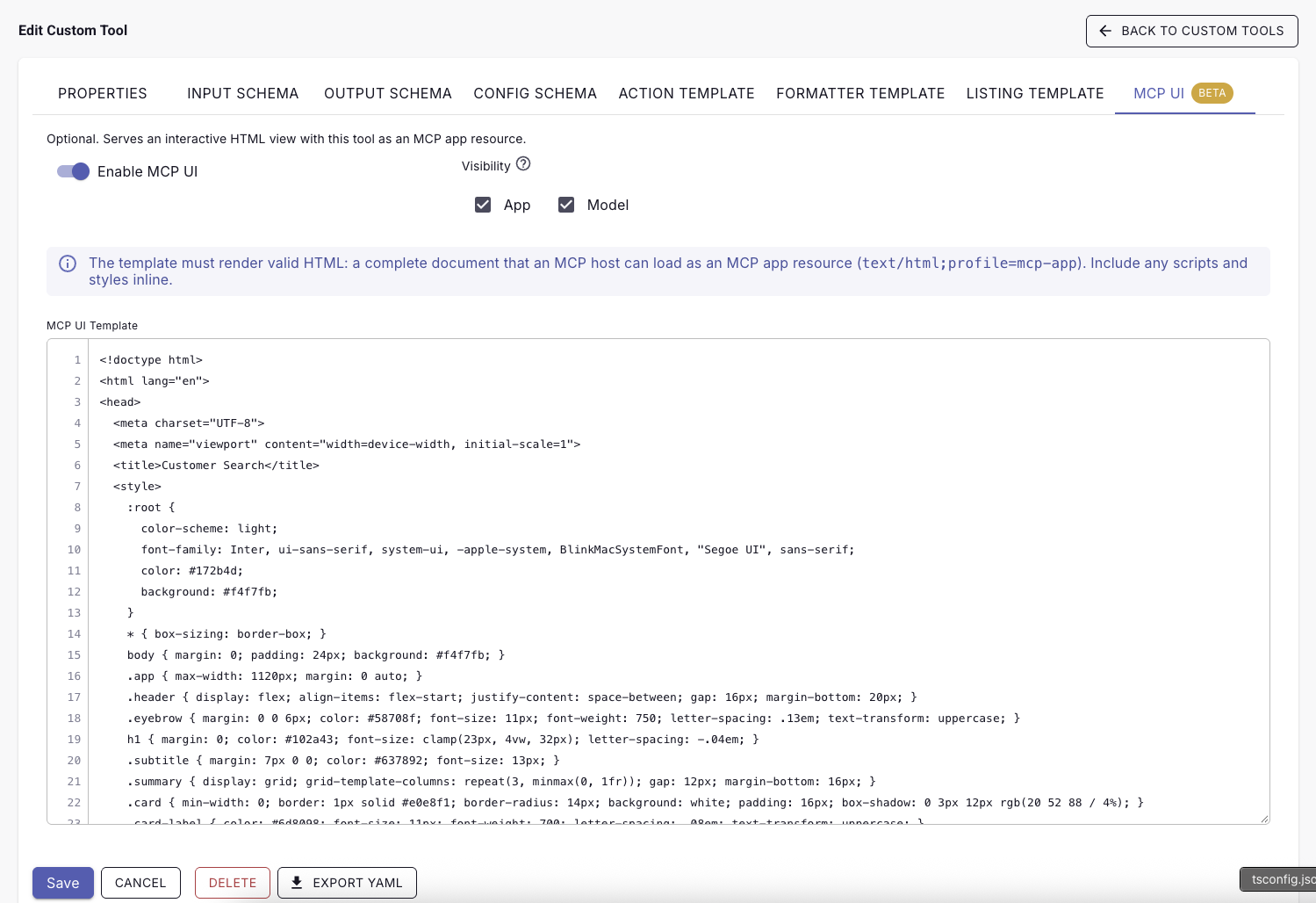
Custom tools can now use MCP UI Resource Templates to return interactive HTML experiences in supported AI clients. Templates use Liquid-based configuration and run with restricted functionality for safer rendering. Cloud UI resources are also now proxied through arnold for more centralized management and security.

Why it matters​

  • Go beyond text-only MCP responses
  • Build richer, interactive experiences for AI users
  • Centrally manage UI resources through arnold
  • Maintain security controls around rendered content
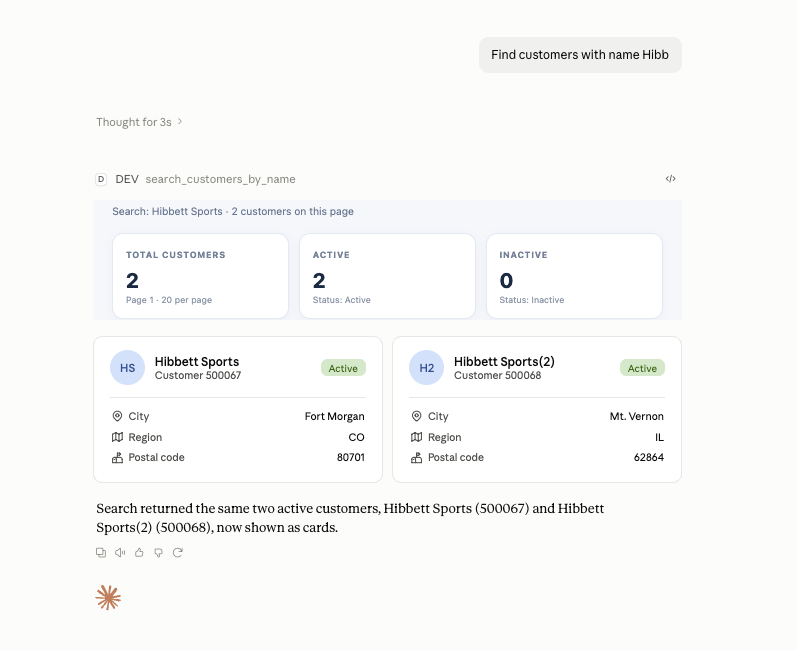
enosix Portal MCP UI enosix Portal MCP UI

🛠️ More Powerful Custom Tools​

What it is​

Custom tools now support output schemas, allowing admins to define the expected JSON structure returned by a tool. Input schemas can also define enum values to restrict fields to approved options. Tool execution handling has also been improved with better response validation and clearer errors.

Why it matters​

  • More predictable structured responses
  • Better control over allowed tool inputs
  • Easier integration with AI clients
  • Faster troubleshooting when tool execution fails

🔐 Security & Tenant Protection​

What it is​

This release includes a critical security vulnerability patch and strengthens tenant handling during Salesforce Agentforce OAuth authentication. Tenant context is now preserved during OAuth client selection to prevent cross-tenant authentication issues. Webhook retry handling has also been corrected to prevent duplicate headers during repeated requests.

Why it matters​

  • Stronger platform security
  • Improved tenant isolation
  • More reliable Agentforce authentication
  • Safer webhook processing

🔍 Improved Logging & Reliability​

What it is​

Logging and retrieval have been enhanced for better troubleshooting and audit visibility. Web job log cleanup has also been corrected to properly remove accumulated logs.

Why it matters​

  • Better troubleshooting
  • Cleaner operational logs
  • Improved audit visibility
  • More reliable background processing

[Bug Fix]: Fixed error on API Proxy RFC API call: Unknown field iindex

  • This release removes the iindex attribute from the RFC calls of the API Proxy. This is not required for the execute operation of RFC API calls.

[Bug Fix]: Session-id header support added to API proxy login operation

  • This release of Link adds support for the session-id header on the API proxy login operation. This enables the Link API proxy login operation to maintain or close the correct SAP session using the keep and end session header values.

[Feature]: Swagger UI on Proxies

  • enosix Link Proxies can now be configured with Swagger UI to test calls to login and RFC_GET_SAP_SYSTEM_PARAMETERS directly from the Link instance. This is another tool that can be used while debugging authentication and SSO related issues. Detailed documentation can be found here: Swagger UI

The enosix team is has tested to ensure compatibility of the latest enosix apps with the Salesforce Winter ‘27 release.

Testing Highlights​

Testing Scope and Outcomes​

  1. Sync for Salesforce v1.3.5:
  • Validated real-time data synchronization between Salesforce and SAP.
  • Ensured consistent performance across core use cases, including object synchronization and data accuracy.
  1. Surface v2.10.0
  • Confirmed compatibility with the Salesforce Sales app.
  • Verified Lightning components function in the Salesforce Mobile app.
  1. SDK v1.7 + Cloud-UI:
    • Verified the ability to configure a material/product and update the price on a quote line item using Cloud-UI in CPQ.

Results​

  • Compatibility Confirmed: All tested products are fully compatible with Salesforce Winter ‘27.
  • No Critical Issues Identified: Testing revealed no blockers or critical issues.

The enosix team remains committed to ensuring our solutions deliver seamless integration and superior performance. For any questions or support, please contact our team.

Support portal: https://go.enosix.com/support