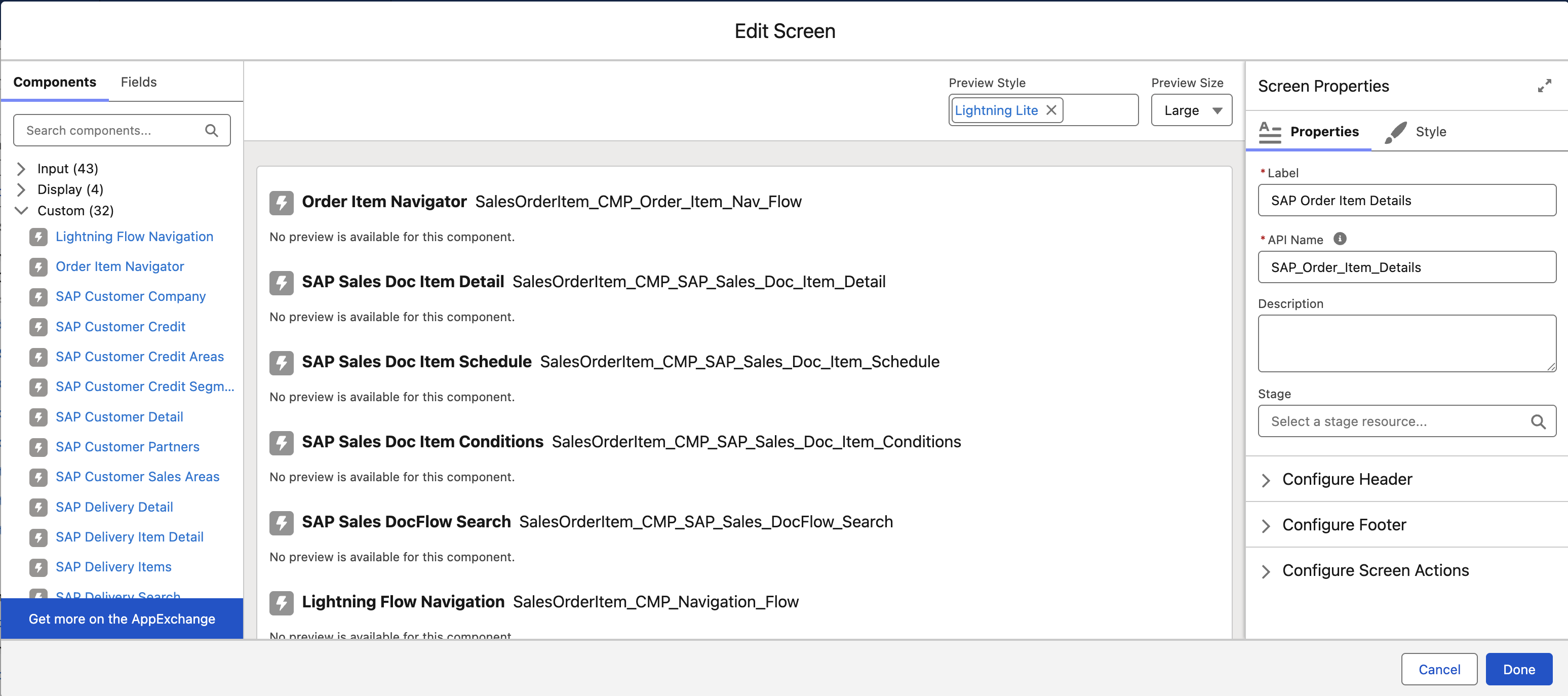
Sales Doc Item Detail Components
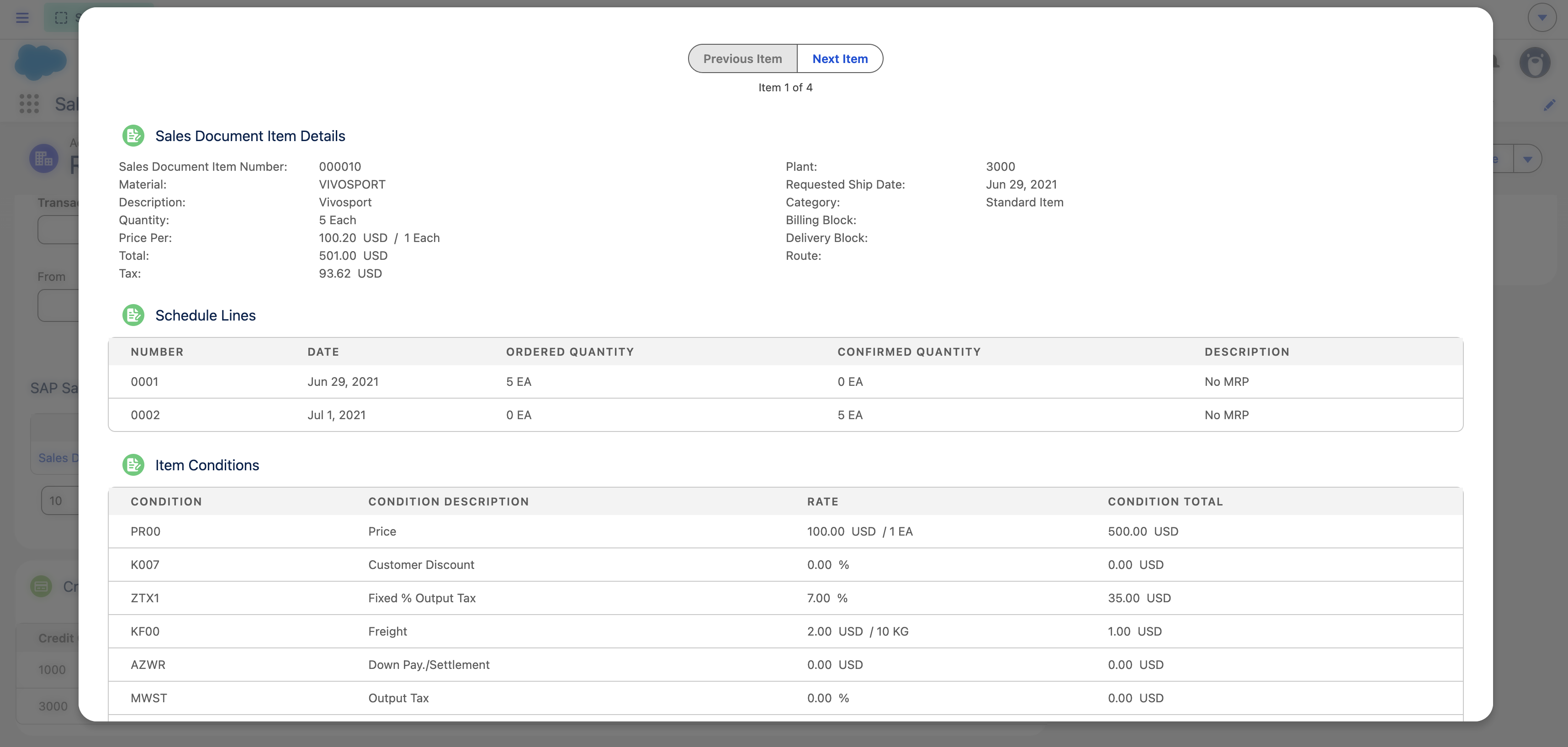
All of the items related to a sales document order or quote are listed in the SAP Sales Doc Details Items component.
When you view an item's details, the information about that item is listed among four specialized Tab components that are displayed inside a tabbed window.
You can use the Flow Builder to control what information displays in the details screens.
TIP:
-
For more information on how to access the components within the Flow Builder, follow the instructions located here:
-
For more information on how to configure each component, see the following:
- SAP Sales Doc Item Details ****- Listed in the screenshot above as Item Detail
- SAP Sales Doc Item Navigator ****- Listed in the screenshot above as Order Item Navigator
- SAP Sales Doc Item Schedule ****- Listed in the screenshot above as Schedule Lines
- SAP Sales Doc Item Conditions ****- Listed in the screenshot above as Item Conditions
- SAP Sales Doc Flow Search ****- Listed in the screenshot above as Sales Doc Flow